


Details
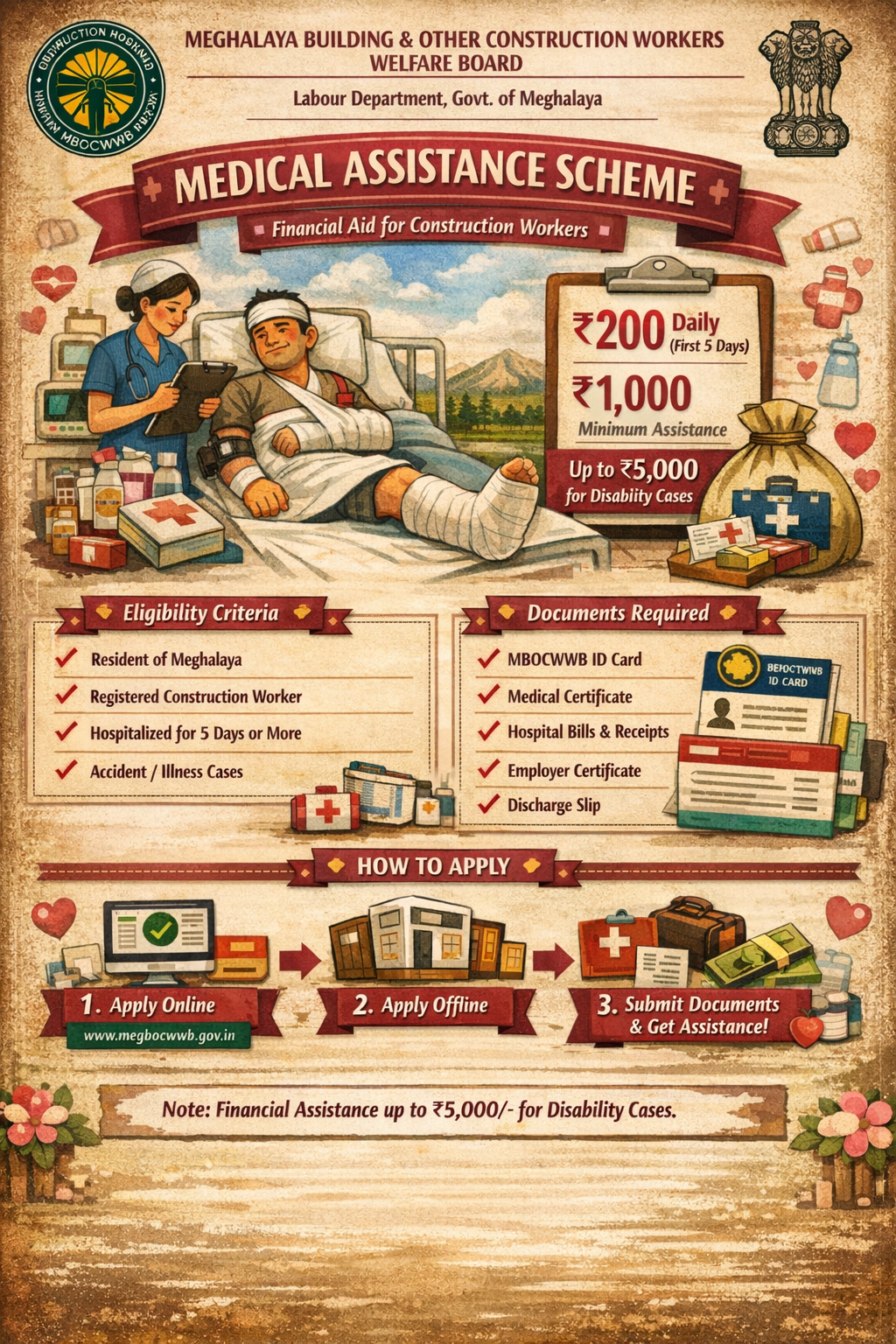
The scheme “Medical Assistance” is a social security scheme, implemented by the Meghalaya Building and Other Construction Workers Welfare Board (MBOCWWB), Labour Department, Government of Meghalaya. Under the scheme, the Board shall provide financial assistance to registered construction workers who are hospitalized for five or more days due to an accident or any disease.
Benefits
The financial assistance shall be ₹200/- for first 5 days and ₹20/- each for the remaining days subject to a minimum ₹1,000/-.
This assistance shall also be given to the beneficiary who meets with an accident and is put in plaster at the residence.
If disability resulted due to an accident, the worker shall be eligible for financial assistance upto a maximum ₹5,000/- depending upon the percentage of disability.
Eligibility
The beneficiary should be a resident of Meghalaya.
The beneficiary should be engaged in a building or other construction work.
The beneficiary should be registered under the Meghalaya Building & Other Construction Workers Welfare Board.
The beneficiary should have an active membership of the Board.
The registered construction workers who are hospitalized for five or more days due to an accident or any disease are eligible to apply under the scheme.
Application Process
Online
Offline
Online https://megbocwwb.gov.in/bocw_services/login.htm
Online Worker Registration Process (Portal):
Step 01: The applicants may visit the online Portal: https://megbocwwb.gov.in/bocw_services/login.htm
Step 02: The applicant can register by creating a new account, on the home page click on the ‘Worker’ button and enter all the mandatory information.
Step 03: After filling in all the details, click on ‘Register’.
Step 04: After successful registration, the applicant will see the message “Registered Successfully”.
Application Process for New Registration under the MBOCWWB:
Step 01: Visit the online Portal: https://megbocwwb.gov.in/bocw_services/login.htm
Step 02: Enter your User ID (Registered Mobile Number), Password, and Enter Security Code. Click on Login.
Step 03: After successful login, click on ‘Apply for New Registration’ from the menu.
Step 04: Fill in all the required details in the Registration Form i.e. Personal Details, Service/Work Details, Bank Details, and Demographic Details, etc.
Step 05: Click on Submit.
Step 06: After successful registration, you will be directed to another page to manage all the Family & Nominee Details. Click on ‘Add New’ to add Family members and Nominee Details.
Step 07: After adding all the Family & Nominee Details, click on Proceed.
Step 08: Now upload all the required enclosures i.e. Photograph, ID Proof, Employer Certificate/Self Certification, Bank Passbook of the Worker.
Step 09: Click on the ‘Complete’ Button to complete the registration process.
Step 10: Once your application has been processed and verified by Block/District LDA, Block/District Labour Inspector, and approved District Labour Commissioner (DLC), a Registration Certificate will be generated.
Application Process for Medical Benefit:
Step 01: Visit the online Portal: https://megbocwwb.gov.in/bocw_services/login.htm
Step 02: Enter your User ID (Registered Mobile Number), Password, and Enter Security Code. Click on Login.
Step 03: After successful login, click on the “Medical Benefit” scheme from the Dashboard.
Step 04: Fill in all the required information and necessary enclosures.
Step 05: Click Submit to apply for benefits.
Application Process to Track/Update:
Step 01: Visit the online Portal: https://megbocwwb.gov.in/bocw_services/login.htm
Step 02: Enter your User ID (Registered Mobile Number), Password and Enter Security Code. Click on Login.
Step 03: From the menu, click on ‘Track Application Status’.
Step 04: Click on ‘View Details’ to view your application.
Step 05: Click on ‘Application History’ to view the application history.
Step 06: Click on ‘Update’ to update your application.
Note: Once your application is under process or processed, you cannot update it.
(Worker’s User Manual)
Documents Required
Enclosures required for New Registration under MBOCWWB:
Photograph of the worker
ID Proof of worker (Electoral Card, Ration Card, Driver’s License, Aadhaar Card, Passport are acceptable)
Employer Certificate/Self Certification (Issued Either by the Labour Inspector or the Employer or SDO/AEE of Works Department)
Bank Passbook of the worker
eShram ID card, if any
Age proof of concerned building worker/applicant i.e. School certificate, Certificate from the Registrar of Birth and Deaths, Certificate from the Medical Officer not below the rank of an Assistant Surgeon in Government Service, Electoral Photo Identity Card
Nomination Form duly signed by the applicant
Self-declaration towards non-enrolment as a member of any other welfare fund/ board
SC/ST Certificate (if applicable)
Any other documents as required
Enclosures required for application of Medical Assistance:
MBOCWWB ID Card
Medical Certificate of disability issued by the Chief Medical Officer
Employer Certificate
Medical Challans/Receipts/Bills from the Hospital concern during the Stay
Discharge Slip
Challan/Receipt of the last Monthly Subscription paid
Any other documents as required
Disclaimer
Hamara Neta is an independent, private application developed and maintained by HANSA AI TECHNOLOGIES. This app does NOT represent any government entity and is NOT affiliated with, endorsed by, or connected to any government body. Official government services should be accessed directly through their respective government portals.